
As a techy sort of person if there’s a tool that will help me and speed up my work, I’ll use it. I have two main tools I use for checking my work, PerfectIt to check consistency and enforce style rules, and TextAloud, a text to speech engine so I can hear what I’ve written. These tools help me eliminate things a spelling checker won’t find. For example, in haste I might type form when I meant to type from!

On 25 June, 23 UniSIG members gathered online to listen to SENSE member Jacqueline Evans (Jae) talk about how she provides writing support to PhD students at the University of Twente (UT). Naturally, as academic editors who work a lot with PhD students, we were all very interested to hear what Jae had to say.
The UT Language Centre (UTLC) offers a range of support to its students, including language lessons, writing courses, writing support and academic skills support. Jae offers support with and gives feedback on conference presentations, scientific posters, PhD theses, journal articles, cover letters, rebuttal letters, grant proposals and CV writing. Sounds like she has her hands full!
When a student approaches Jae with a text, she first encourages them to analyse their own writing and to define what they need help with. Most people are looking for a language check with feedback on structure, flow and coherence (ie, whatever it takes to make the text fit for purpose!). Jae emphasized that her interventions are more educational edits rather than full scientific edits. What does that mean? It means that Jae offers suggestions to help the author address any important gaps or illogical structures in their writing. Jae will correct language issues wherever possible, but the student will usually not receive a fully edited paper – the result will be a mixture of edits with suggestions on how they can improve their text. In short, they still have to do much of the work themselves, rather than receiving a ready-to-submit text.
However, Jae emphasized that the definition of providing editing for ‘educational’ purposes is often blurred, especially when a student is preparing a research paper for submission to a journal. Jae also edits research papers for her own research clients and knowing where to draw the line when working with students can be tricky!
Jae observed that, interestingly, requests to the UTLC for writing support have increased tenfold since the start of the Covid-19 pandemic. This may be because, instead of meeting face to face, students now reach out by email and receive their support online. Some students may feel more comfortable asking for help in this way. It will be interesting to see what happens to Jae’s workload as the university opens up and face to face meetings are allowed again: will she continue to offer her services online or will the students be keen to meet in person again?
Requests for writing support may also have increased during the pandemic because students have had a lot more time to work on their writing, since lab access was restricted. This mirrors the dramatic increase in workload that many academic editors have seen in the last year: their clients were no longer allowed in the lab and suddenly had plenty of time to write up their research. What will happen now that scientists are being allowed back in the lab; will we now see a lull in editing requests as our clients return to the lab to collect new data?
Jae concluded her talk by outlining what the future looks like for the UTLC. As more and more users are asking for a full editorial service, the UTLC may decide to offer this in the future. Indeed, the UTLC has already gathered a team of editors to work on Veni and ERC grant proposals for the university (funded by the Twente Graduate School). Jae has promised to keep us updated: keep your eye on the SENSE blog for new developments!

On 28 June, 11 participants gathered online to learn more about how to use Word Styles from language practitioner and Professional Editors Guild member, Monica Bosman.
The workshop kicked off with an introduction to Word Styles. Monica explained what styles are and how they can be used. She showed us where to find styles in the Word workspace, explained the different types of style, discussed the advantages of styles and explained how they can make us more efficient editors. After the break, Monica gave a practical demonstration of Word Styles, using a document she had sent to us before the workshop started. This was useful, because it meant we could try out for ourselves everything Monica was showing us.
I knew a bit about Word Styles before the workshop. For example, I had used the navigation pane to skip easily between sections when writing larger documents. But I usually work with shorter texts (journal articles mainly) and was not using styles regularly in my editing work. Monica’s clear step-by-step introduction to using styles showed me how I can make my daily work more efficient. For example, styles allow you to make many changes at once, ensuring consistent formatting of headings, paragraphs and numbered lists. You can also automatically generate a table of contents based on the heading styles and outline levels in your document.
Monica also talked us through how we can use styles to diagnose problems in a text that we have received for editing. Opening the Styles panel and seeing which styles the author has used in the document can give you an idea of what formatting changes you may need to make: simply click the ‘Options’ button in the bottom right corner of the Styles menu and choose what to show in the Styles panel. She also showed us some useful tips and shortcuts, such as how to use the Format Painter function to copy formatting from one section and apply it to another, how to use Advanced Find to find and replace a style, as well as how to use Manage Styles to import styles from another document.
All in all, this was a full and interactive workshop, packed with useful tips on how to work more efficiently with Word. Well worth the investment of time and money! Thank you to SENSE for organizing the workshop and a big thank you to Monica for sharing her expertise so generously!

With temperatures heading towards 33oC, the theme of the June Southern SIG meeting was the summer season.
We started by discussing ways to keep cool in the office on hot summer days. One member recommended using an air humidifier – which adds moisture to the air – rather than a fan. By keeping the office cooler, he immediately added five working hours to his week, quickly recouping the investment. Another handy tip was the budget option of hanging a wet towel in front of a fan, also very effective!
Workflow over the summer seems to be somewhat unpredictable for most of us. While we may know our direct clients’ plans, workflow from agencies seems to vary from year to year. During some summers, agencies have a surplus of work – perhaps because many of their other freelancers are away on holiday – so we may find ourselves in demand, whereas in other years there could be a lull as the agencies’ clients also take a break. Summer peaks and troughs are not exclusive to freelancers; in-house editors and translators may also find themselves surprisingly busy over the summer period.
All this makes deciding when to go on holiday tricky. Do you book your holiday for the summer, after the summer, or even in January? The consensus was that there is no best time. Just like the summer months, January may be quiet one year, but crammed full the next. The discussion then moved on to the problem of clearing your desk before going away – why does it always take so long? And what can we do about it? Suggestions included trying to set ourselves false deadlines or even scheduling a day off before going away to ensure that we arrive at our holiday destination ready to enjoy our break.
Regardless of the timing, we all agreed on the importance of taking a break – whether it be a two-week holiday or a few long weekends – and not working too many weekends or late nights in a row. The months can fly by and you can suddenly find that it is halfway through the year and you have only had a couple of days off.
Other items discussed included how to keep up your English when living abroad – listen to Radio 4 and do the quick crossword in the Guardian – and the relatively new problem of how to politely stop someone from talking too long on a Zoom call!
Last, but certainly not least, the new Southern SIG member of the month (the attendee located farthest south) was appointed and this time it was none other than our convener himself! Congratulations, Jasper!

This summer, SENSE is offering a brand-new series of online workshops to hone your skills as an English-language professional. David Garcia Ruiz had the honour of starting off the series on 10 June with his interesting workshop on search engine optimization (SEO).
David could tell us everything we wanted to know about SEO, as he has been working on it since 2015 and even teaches an SEO course at a Spanish training centre for translators (AulaSIC). He explained the basics of SEO and where the SEO translator comes in. Moreover, he put theory into practice right away with hands-on exercises for the attendees. Throughout the workshop, attendees asked good questions and received expert answers from David, making it a truly interactive and engaging workshop.
SEO in a nutshell
The purpose of SEO is to end up high in the search results when potential customers look online for the products or services you offer. Search engines want to provide their users with the most relevant webpages as quickly as possible; an SEO specialist aims to convince the search engine’s algorithm that their webpages are the place to be. Unfortunately, experts estimate over 200 factors are taken into account by these constantly evolving algorithms. Surprisingly, SEO is not hard science – what works today may be outdated next week. Experts also don’t always agree on what works best.
What does an SEO translator do?
From these 200 SEO factors, SEO translators and copywriters alike work on on-page SEO, which involves optimizing the actual content on the webpage. Thankfully, the days when this involved stuffing the text with the same keywords over and over are long past, and can even backfire today. Successful SEO is about knowing what a search engine looks for, where it looks and within which character limits. Typical services SEO translators offer are keyword research, keyword localization, SEO translation, meta data generation and content optimization. Each of these comes with their own challenges and requirements.
What does it take to be an SEO translator?
On-page SEO is not rocket science and doesn’t require high-level coding or other technical skills. Instead, it’s about knowing the rules of the game and applying them while using your common sense. For example, there is no use in adding highly popular keywords that have nothing to do with your products, just to boost site traffic. However, you will need to invest time and money in getting the right tools, developing skills and keeping your knowledge up to date.
To sum up, the workshop was interesting, informative and contained plenty of practical value. I feel much more knowledgeable about what SEO is – and what it isn’t. David’s enthusiasm about the subject has surely inspired me to try my hand at it!
This article is not SEO-optimized, in case you were wondering.
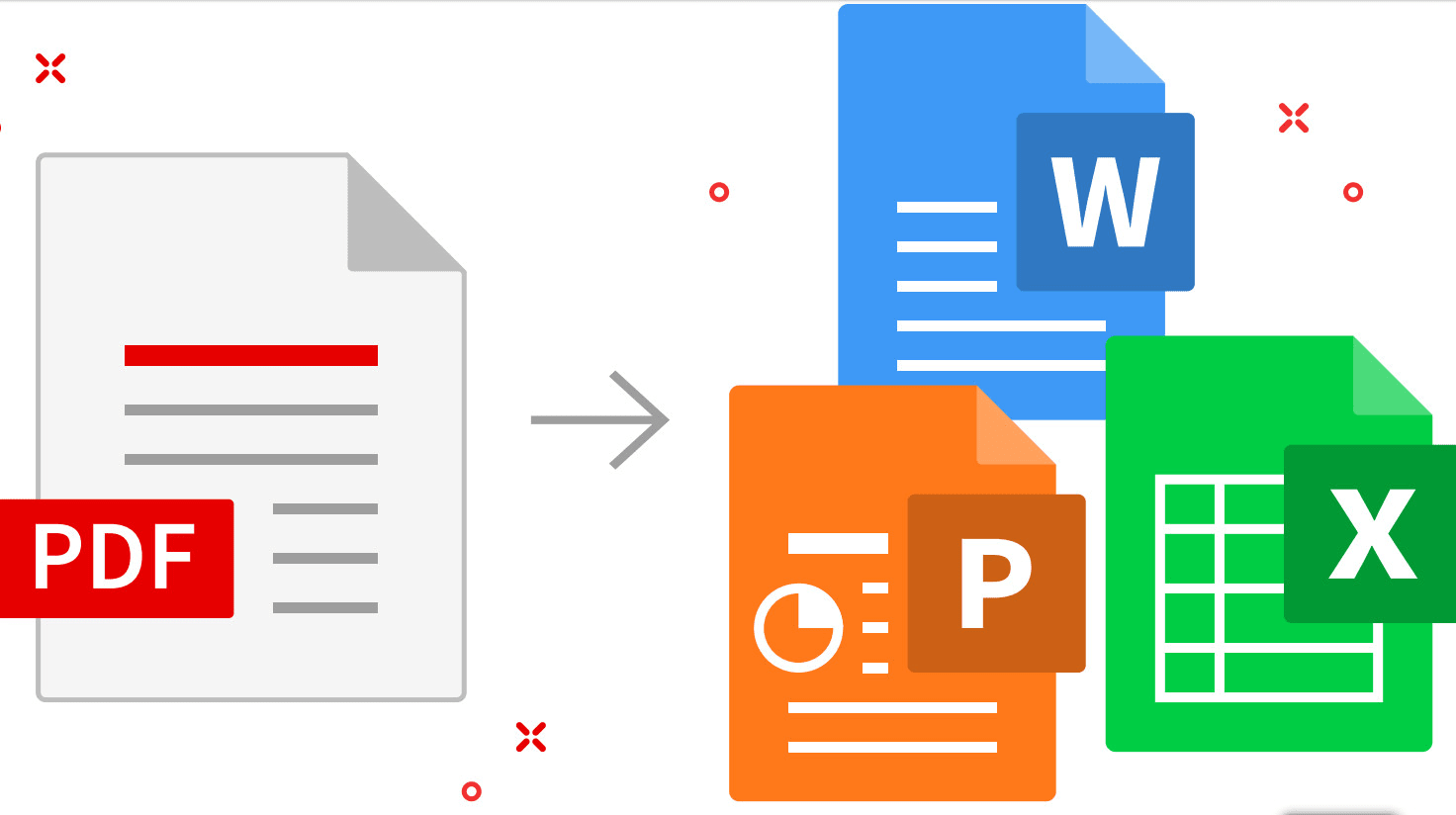
The TechSIG meeting of 3 June 2021 was very well attended, with 38 participants. The topic for this meeting was ‘Converting PDFs and OCR’. The presenters were Jenny Zonneveld and Hans van Bemmelen.
Jenny started off with well-known advice that deserves to be repeated: tell the client that you charge extra for converting the file from PDF, because if you do, sometimes the client will discover that they have it available in an editable format after all!
Jenny then proceeded to explain various ways to use Microsoft Word itself to perform PDF conversion. In the latest versions of Word, one can load PDF files directly, either by using File > Open, or by dragging and dropping the PDF file into Word (if there is an existing file open, drag and drop the PDF file to the ribbon). Word then converts the PDF file into a Word document.
Acrobat Standard DC, which is the cheapest PDF reader in the Adobe suite, can also export PDF files to Word. Go to Tools > Export PDF. The quality of Acrobat's conversion is often better than that of Word.
Finally, Jenny showed a few ways of converting the PDF file in Abbyy FineReader, an OCR program. FineReader can convert images and PDF files to a number of other formats, but it is not a PDF editor. Hans then gave an extensive explanation of how to deal with a rather complex sample PDF file in FineReader. Hans and Jenny demonstrated several tips and tricks in particular for dealing with tables in FineReader.
Jenny explained how to troubleshoot problems with scanned newspaper clippings. Samuel Murray gave the tip that one can improve the accuracy of OCR conversion by extracting the pages from the PDF file and converting them to images (eg, JPG), and then improving the quality of those images in a free program like XnView, before loading the images into FineReader. In XnView, go to Image > Map or go to Image > Adjust. There are various free websites for extracting pages from PDFs to images. Martina Abagnale recommended PDFSam (the premium version can convert PDFs to images).
It was also mentioned that some CAT tools do very good PDF-to-Word conversion. Trados in particular creates Word files that are very ‘translator-friendly’ in the sense that it does not insert line breaks in places where translators would not want them.
Hans explained that if a client sends a Word file that was converted from PDF very poorly, it may be better to re-convert that file to PDF and back to Word again. In Word, File > Export > Export as PDF. Then use FineReader to convert it back to Word.
One hour was far too short to cover all of this very relevant topic, and we will certainly have another TechSIG meeting about it in future.

It was the second Wednesday of the odd month – time for the Utrecht Translation SIG meeting. A small group of regular Translation SIG-goers met on Zoom. One of our members had given us a text to look at, so after hearing each other’s news we opened the text: an introduction to an art catalogue.
Even if you’re not into art and exhibitions or if this isn’t your daily bread, translating out of your comfort zone can still make for an interesting discussion. We spent a large part of the first hour talking about the context, the author and the potential audience.
This text was in a genre of its own; something quite different from the marketing or research documents many of us frequently work on. And perhaps because it was outside our comfort zone, we found there were many things we’d like to have asked the author. We also felt in need of background information about the organization publishing the art catalogue. A quick look at the website didn’t really answer many of these queries, so it was good to have some insider knowledge.
You might think that a text about art would include tangible topics like form and colour – this prose was quite the opposite. We also learned that where first we thought ‘manifestaties’ might be a false friend, it was in fact not. We could translate ‘meerdere manifestaties en projecten’ as ‘multiple manifestations and projects’ because ‘manifestation’ is also used in English in the contemporary art sector, similar to the way that ‘happenings’ earned a particular use in the art world of the 1960s.
As we progressed to the next sentence, we thought the text was unnecessarily vague. Even the simple phrase ‘…een huis in de stad… ’ didn’t mention which city. Was it Amsterdam or Timbuktu? Apparently, that’s not relevant. What we did consider relevant was whether the piece was addressing fellow artists and those who had exhibited in ‘the house in the city’ or the public who had viewed and admired their works. But, as we learned, in this genre, the art text is intended not to simply explain (or sell), but to be an experience in itself that has affinity with the work it describes.
Amongst the other topics discussed during the meeting, we touched on a problem one of us had encountered recently. A Dutch website being translated contained a menu item entitled ‘Breekijzers’ for which a concise figurative translation was required. It wasn’t until our colleague stepped back, analysed the context and shared the problem on the SENSE forum that a solution emerged. Another SENSE member responded on a Saturday afternoon saying “I think that the word you are looking for is staring you in the face: imperatives.” And so the collective brain of SENSE members contributed to helping the client communicate their purpose.
We moved on to reflect upon another piece of work in progress and another art form: a music festival. Our translator considered the opening sentence to not be quite as unifying as the author intended:
Original: Of ze nu katholiek, joods of orthodox is, religieuze muziek verbindt altijd.
We had to bear in mind that the Dutch and English translations would be appearing side by side. That made one alternative – to leave out the religions and simply say something like ’Sacred music of any kind always connects people’ – potentially look a little blank next to the Dutch. And ‘orthodox’ itself is not one faith, so that needed clarification. Our colleague reported that the source text was adapted after consultation with the author:
Revised: Of ze nu katholiek, joods, Russisch-orthodox of wat dan ook is, religieuze muziek verbindt altijd.
These examples illustrate how translators contribute to the effectiveness of their client’s communication by leaving comments and asking questions – even to the extent that one client ended up changing their original text.

I’m regularly asked to revise other people’s translations and I work with a revision partner for much of my own translation work. It isn’t always comfortable seeing what a colleague suggests changing. After all, I’ve done my best to convey the meaning and message in my translation. Everyone has their own unique way of expressing themselves, and the same goes for translators. However, I might have misunderstood something in the source text or not spotted a typing mistake, so it’s good to have a colleague cast their eye on my work too. I’m always eager to learn and I attend a good number of workshops and webinars each year to further develop my skills as a translator, copywriter and editor. So when the opportunity arose in 2020 to attend a SENSE workshop entitled Best practice for revising translations given by the translation revision guru Brian Mossop (the author of Revising and Editing for Translators, 4th edition), I didn’t have to think twice.
What did I learn?
During the workshop we discussed revising our own translations as well as translations written by colleagues. We revise our writing, and that includes translation, because everyone makes mistakes. When revising, we read the text as if we are the end reader. If we notice something doesn’t read smoothly, that’s what we should correct. It’s a fact that different people notice different problems. What sounds okay to me might jar in someone else’s ears.
Productivity tools for revising
Revising my own work
When I revise my own translations, I check I’ve understood the source text properly and rendered it correctly in good English, in a style to suit the client’s intended audience. Naturally, I check all the numbers, I find and fix my own typos, improve the flow and ensure the spelling and grammar is all correct. If I change my mind and think of a better expression for something, I’m free to change my own writing.
Revising another translator’s work
When I’m revising someone else’s translation work, I think carefully before using my red pen. Just as for my own work, I check the meaning of the source text is properly conveyed in good English and in a style to suit the client’s intended audience. I put myself in the position of the end reader. I will not be looking to make unnecessary changes, but I will make a change if I spot something that’s clearly a mistake or I can improve the rhythm and flow of the text, and so help convey the message even better.
My five revision guidelines
I’ve summarised my key learnings from the workshop in the following five revision guidelines I’ve written for myself.
- I justify the changes I make.
If I can’t justify a change to the translation I’m revising, then it probably isn’t really necessary. It’s not good enough to rewrite a sentence just because I think it sounds better that way. Categories of changes that are justified include: the meaning is ambiguous, the sentence structure is confusing, there’s a grammar or terminology issue, the writing is too informal or has the wrong tone. - I don’t impose my writing style on the translation.
Some translators translate more literally and some more freely and there’s an acceptable range. I must also consider whether the degree of translation freedom taken is appropriate for the type of document and the target audience. I want to avoid imposing my style on someone else’s work. - I avoid retranslating.
I think it’s better to make a small change to the translation rather than rewrite the whole sentence. I take pride in my work and want to see as much of it as possible back after revision, so I try to do that for my colleagues too. - I go along with the translator’s choices if making changes requires significant effort.
A translator may have chosen to write in the passive voice where I would normally write in the active voice.
Passive: New production methods were introduced by the company last month.
Active: Last month the company introduced new production methods.
It would take considerable effort to make these kind of changes throughout a document. I think a better solution is to make a note and allow the translator to make the appropriate changes themselves. - I don’t impose my personal preferences.
Many words and phrases have synonyms, for example ‘bear in mind’, ‘keep in mind’ ‘take into account’, ‘take into consideration’, ‘remember’. Which is the best to use? That’s a decision I leave to the translator.
These points are top of mind when I’m revising a translation. We’re human and we can all make mistakes, which is why revising makes sense.
This blog post was originally published on the Translatext blog.

When I first used LinkedIn, way back in the primitive 2000s, it was basically an online CV. You just uploaded your education, skills and work experience, and miraculously employers, clients and colleagues would, at least in theory, get in touch. It was business networking without the lukewarm coffee and awkward silences. But now LinkedIn has evolved (or possibly devolved, depending on your views about social media) into a ‘professional Facebook’, where your personal brand must regularly accrue likes and comments to ensure it stays afloat in crowded, fast-flowing news feeds.
Marketing ourselves successfully is a challenge at the best of times. If only someone could give us some tips on how to attract attention and keep it. Luckily, LinkedIn expert Jan Willem Alphenaar came to the Starters SIG session on 29 April to do just that.
He told us that more than 80% of the working population in the Netherlands uses LinkedIn, the highest proportion in Europe. But using it effectively is key, and JW explained some of the secrets behind its mysterious – and ever-changing – algorithm. For example, ‘Liking’ someone’s post will boost that post but will have no impact on your own visibility. If you comment, a small percentage of your contacts will see it – in fact, more than if you share the post. But the best results come from posting native content, or at least apparently native content (Jan Willem showed us a handy workaround if we want to share interesting external links with our network).
Have you checked your social selling index lately? This illuminating concept – new to most attendees – is a score based on how well your LinkedIn profile fulfils the criteria that the platform regards as important. Jan Willem’s SSI was, naturally, in the top 1% of both his industry and his network. The rest of us have some way to go to reach that level of visibility.
To help us out with that, Jan Willem addressed different ways of making our personal profiles work harder, via key words, prominent contact information and recommendations. By coincidence, I’d also recently attended a free LinkedIn ‘Glow Up’ via Creative Mornings, presented by the effervescent Portia Obeng. Her virtual workshop focused specifically on remodelling the prime real estate of your profile to ensure it catches the attention of both clients and Google. Her excellent advice included low-cost ways to secure the perfect profile shot, and using your ‘headline’ to explain how you can help people (your value proposition). ‘Do not sell yourself short,’ she urged us modest freelancers, telling us to use our ‘About’ section to state what we do, how we do it and why we’re so good at it. ‘What motivates you to keep doing this work?’
Despite their very different styles and approaches, both Jan Willem and Portia have the same message: effective use of LinkedIn, as with any form of marketing, will help you reach the people who want to do business with you, and encourage them to engage with you. Stay active, optimize your profile and always include a call to action. Who knows what stimulating, well-paid projects – and stimulating, well-connected contacts – may result?
Thanks to the Starters SIG conveners Anne Oosthuizen, Danielle Carter and Martina Abagnale for organizing such a useful session. Now all I need to do is put it into practice…

Are you an introverted entrepreneur? In other words, are you a freelancer who enjoys your own company and staying in your comfort zone? But have you ever wondered whether this might be holding you back? Do you assume that extroverts are more successful, for example because they’re better at networking and bringing in work? Let’s dispel some of those myths and hear from a fellow introvert who has gone through such struggles herself: Mariella Franker is a former science communicator who has recently started offering productivity coaching for introverts. Read on to discover the hidden benefits of being an introvert.
Many of the language professionals in SENSE – including translators, editors, language trainers and copywriters – would probably identify as introverts, especially the freelancers. What frustrations might they have that you also used to have as an introvert?
Oh, I had so many frustrations, haha. I used to wake up in the morning and hope, just hope, that I was going to get my most important to-do's done that day. I'd start work optimistically but, before I knew it, it was 5 pm and I didn't know where the time had gone. In a way, it felt like I had no control over how productive I was. I would get distracted, eg, by emails, smaller projects, or unexpected calls from clients or colleagues. My work-life balance wasn’t even an issue, because it wasn’t there. I worked almost constantly, always felt busy, tired, and anxious about my performance or that I was missing opportunities. Then, other health issues came up: I nearly burned out, I got pre-diabetes and pregnancy diabetes because I wasn’t eating well, and my body didn’t get enough rest to heal. Usually, I’d slip into a coma on the coach on Friday evenings and sleep the whole weekend, only to start working again on Sunday evening to make sure I could ‘keep up’ the next week. In the meantime, the things I really wanted to do for myself got pushed further and further to the back. I really wanted to write, and I actually have a folder full of blog posts that I never published. I was either too tired to finish them or my perfectionism would get in the way. Other people seemed to get results so easily, so this only added to the frustration and a feeling of failure.

You’ve not been a coach for very long, Mariella. What prompted you to change the focus of your work from writing to coaching?
Yes Sally, that’s true, I changed my focus to coaching in mid-2020. The funny thing is, though, that it feels like I’ve secretly been training for this my whole life. I’ve always been interested in productivity, so I read a lot of research and I tested out a lot of things in my daily life. I started with time management because I thought that if I could manage my time as efficiently as possible, that would be the answer to achieve all my goals and dreams. After nearly burning out several years ago, I realized that I’d forgotten that energy management is essential to maintain productivity, especially because I’m introverted.
What prompted me to make this my business was the birth of my son on one hand, and getting coaching myself on the other. After my son was born, time took on a whole other meaning. Travelling an hour for my part-time job three days a week and taking freelance writing assignments the rest of the time was tiring, and I could barely spend any time with my family. My life was no longer aligned with my long-term goals and I needed to get really clear on how I wanted to live my life. When I went to a coach and discovered coaching in this way kind of by accident, things suddenly fell into place. Even though I’ve only just started, helping other people to achieve their goals and dreams through coaching is already the most fulfilling thing I’ve ever gotten to do.

What are the most important lessons that you have learned from your own experiences with a coach?
I’m learning so much from my coach and mentor, Marloes Bouwmeester. She has over ten years of coaching experience and she was the first coach in the Netherlands to make programmes for introverts. I went to her because I became frustrated when I got yet another performance review saying that I should be more assertive, even though the team was very happy with my performance. The most important thing that I learnt from her is that there is nothing wrong with me and that being an introvert is not a limitation. Without realizing it, I was just trying to fit an extroverted mould and I was working in ways that didn’t match my natural way of working. She taught me how to create space for myself in my work and in unexpected situations in an introvert-friendly way. It was a revelation! When I told her about my business idea around productivity, she suggested that we work together, and I feel really honoured that I get to train with her.

What can your coaching programme offer introverts?
My programmes are designed to play into the way our brains naturally work. I focus on natural productivity, introverted superpowers and easy ways to form habits. Introverts process stimuli differently from extroverts and we have different energy needs. When we play into this, we feel more confident and at ease with who we are, the inner critic is less dominant, and we achieve our goals faster and with fewer struggles. Small and simple changes can have a huge effect here. In a busy life and with so much going on in the world today, it can feel like a real task to proactively set goals. I look for simple solutions and how to make things easy to do, because it’s not the big gestures but consistency that helps us achieve goals.
The online course that I’m developing now offers a practical guide on how to do this, but it’s meant to be tailored to you depending on your personal goals and what helps you to work in productive flow. Think of it as a roadmap that helps you to design a toolkit with the right tools for you to be naturally productive in your life.

If someone reading this wants to know more about it, where can they find more information?
The best way to see if this is for you is by joining my explorative taster sessions. I’m giving away three short sessions where we’ll explore how to create space for your personal dreams and goals by using your strengths as an introvert. Each day at 10:00 CET, there will be a 15-minute lesson via Zoom with a short exercise at the end. The exercises explore how to be productive in a way that feels natural to you. It’s an invitation to start carving out that space for yourself. Recordings of the sessions will also be available so if you can’t join on Zoom, you’ll still get the information afterwards. If you feel pulled in a million directions, don't know what to prioritize, or struggle to balance your ambitions with your energy needs as an introvert, then these explorative taster sessions are for you. You can sign up for free here: https://www.subscribepage.com/atasteofbacktobasics

|
Blog post by: Sally Hill LinkedIn: sally-hill-nl Twitter: SciTexts |

[Photo credit: Unsplash: Ameer Basheer, Luis Villasmil, Naassom Azevedo, Caroline Veronez, S Migaj
‘Free taster sessions with Mariella Franker, PhD’: photo by Ken Ramroochsingh.]
On 30 April, SenseMed held their first online meeting to discuss the problems editors face with ever-changing scientific terminology. This was SenseMed’s second meeting so far, the first one being held in-person before the pandemic forced everything online. One advantage of online meetings is that people can join in from anywhere and the meeting was well attended by editors and translators in England, Germany and Spain as well as the Netherlands, setting the stage for some fruitful discussion!
After giving everyone a chance to introduce themselves, SenseMed convenor Curtis Barrett kicked the meeting off by explaining the topic under discussion: when we, as scientific editors, come across terminology that we are not sure about, what should we do? Should we just make sure the language is correct and move on – or is it our responsibility to intervene? Curtis described one example of odd terminology he came across in a research paper and how he solved the problem after a long discussion with his fellow SENSE members Kate McIntyre and Jackie Senior. In this case, the client was pleased with Curtis’ intervention. But Curtis also shared examples of times when he was sure the client had used the wrong terminology, only to discover that this was a new term and his client was completely correct.
Kate emphasized this problem of ever-changing terminology using ‘-omes’ as an example. We are all familiar with the genome, the proteome and even the transcriptome, but things are really getting out of hand. These days, there’s an ‘-ome’ for everything and, worse still, individual ‘-omes’ often have multiple meanings. So what is an editor to do? Kate suggested a useful strategy: check the phrase in Google, if it still seems unclear check PubMed or ask a colleague, and if you are still none the wiser, query the author.
This is an excellent strategy (and it is pretty much what I do myself), but there are problems. We may meet some resistance if our bill suddenly doubles because we spent half a day on the phone to a colleague trying to decipher what ‘microbiome’ means in a paper we are editing. And what if our client has specified that they only want us to check the language? Surely we should respect that and provide the service we have been asked to give?
Yes and no. The brief we get from our client should, of course, be respected and adhered to as far as possible (if we want to keep our clients anyway!). However, I think it is also important not to forget who we are really working for: the reader. We can only do the best job for our clients if we think about their reader when editing their work. If we stumble on a word or phrase in a scientific article, there is every chance that the reader may do so too, even if that word is established in the field. Adding a comment in the margin to point out that a short explanation would help the reader does not take long and could make all the difference.
This SenseMed meeting was lively and gave us plenty of food for thought. Curtis tells me that he already has ideas for the next meeting, so watch this space!


