
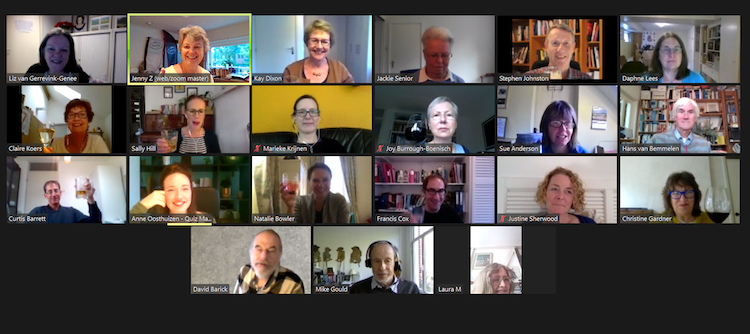
Gin o’clock came early on 25 September. I may have been a little nervous about participating in the SENSE Virtual Quiz night – my first ever event at SENSE ¬– but with a G&T in hand and faced with a very friendly gaggle of language professionals, it was all good.
I soon found myself in a break-out room/team with Mike Gould and Curtis Barrett, feeling utterly useless for the first round: ‘SENSE History’. Fortunately, Mike and Curtis saved the day. The second round, ‘Odd Englishes’, was starting to look more like a joint effort. My favourite new word is whoopensocker – I’ve been trying to sneak it into a sentence at every opportunity this week.
SIG and Social Events Coordinator Anne Oosthuizen’s initial plan to go five rounds proved too ambitious with this slightly unruly bunch of 24 contestants, and so we voted to decide the topic for the last round. ‘Literature’ won overwhelmingly, and at long last, I started to feel somewhat useful. This is a good thing when you’re a little on the competitive side. That person who wants to ‘win’ so badly that she ends up with the wrong contact lens prescription because she hazards guesses as the letters on the chart keep getting smaller? Yep, that’s me. Imagine my joy when I realized I might make myself useful in this round. Never mind that it was a stroke of pure luck that I had read some of these books – and that my rapidly deteriorating memory decided not to forsake me for once.
The quiz was beautifully put together, organized and moderated. Webmaster Jenny Zonneveld dealt with all the tech stuff and quickly checked the answers and totted up the numbers. Anne, who put together the very clever questions, joined the side rooms from time to time, graciously trying her best to keep a straight face while we flailed around in our, at times, desperate attempts to find the correct answers – or any answers for that matter.
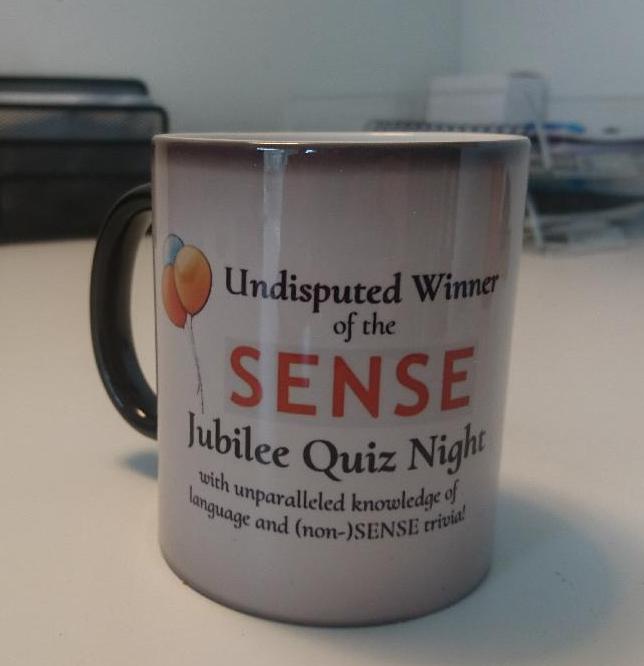 In the end, our team the Rozzers made off with the prize: eternal fame and a fabulous mug each. Universally Challenged and Girl Power were close on their heels in second and third place. The other teams and their excellent names deserve mention too: 3TC, Cox’s Conquerors and Oldie Newbie.
From all of us, a massive thank you to Anne and Jenny for organizing this fabulous start to the weekend!

Experience has shown that columns on the nitty-gritties of grammar can be considered either as a refreshing aide-mémoire to seasoned practitioners or as convenient support for newcomers to editing in need of compelling reasons for having made grammatical changes (especially when they are challenged by authors). In this blog post, the aspect of English usage I’m focusing on (with the help of some really smart authors) is the correct or preferred use of adjectives and their close cousins, the participles. Incorrect usage of these word classes can be considered gauche or clumsy – and possibly even damaging to an author’s or editor’s image. Mastering correct usage is therefore essential, whether you’re wanting to be regarded as an artful writer or showing an author’s words off to best effect. Hopefully the collective wisdom of the authorities cited will clear up any uncertainty you may have had on these questions.
Ordering adjectives correctly in strings
To ‘reveal all’ about the correct ordering of adjectives in strings, we have to start by considering the classes of adjective. Two classes are most commonly used:
- Classifying: annual event; cotton fabric; German academic; virgin olive oil; green solution (ie, environment-friendly); weekly newspaper. These adjectives tend to indicate the class or category to which a noun belongs. ‘Virgin olive oil’ is interesting because ‘olive’ is already limiting the oil to one class, but ‘virgin’ creates a subclass, differentiating the olive oil from non-virgin pressings. They are generally not gradable (an oven cannot be ‘fairly electric’), nor do they have comparative and superlative forms.
- Qualitative: tall gentleman; boring film; happy children; green container (colour). These adjectives are usually gradable (extremely boring) and have comparative and superlative forms: tall, taller, tallest; boring, more boring, most boring; happy, happier, happiest.
The general rule to apply is this: in a string of adjectives, the classifier should be placed closest to the noun it qualifies: tall French gentleman; rich silk fabric; colourful beach umbrella. Note the absence of a comma between the two classes of adjective: this is correct.
But what of a long green container? There are two points to consider here. First, two qualitatives are forming a string, so they should be separated by a comma (the same would apply to a string of classifiers, though these occur less frequently). Thus: long, green shipping container; chubby, gurgling Chinese infant.
Secondly, the reverse order of the qualifiers sounds unnatural: a green long container. But why? Well, the experts tell us that order is important, and offer more helpful guidelines:
- Usually we place an adjective that gives an opinion in front of one that is either classifying or qualitative: nice red dress; silly old man; horrible gold curtains.
- When three adjectives in a string comprise a qualitative, a classifier and a colour adjective, the usual order is qualitative + colour + classifying + noun: long white stretch limousine; stubby blue ceramic knife.
- In strings of multiple adjectives, the preferred order is generally: (1) quantity/number; (2) quality/opinion; (3) size; (4) age; (5) shape; (6) colour; (7) proper adjective; and (8) purpose/qualifier. For example (heaven forbid!): Many top-quality large blue aluminium-bladed kitchen knives were on display. (No commas here between the adjectives because they all belong to different classes.)
Adjectives ending in -able and -ible
One of the real dilemmas facing writers and editors having to deal with adjective formation is when to use either -able or -ible as a suffix. English is rather unhelpful with conventions here, but one fairly reliable rule of thumb is this. When the root is complete without the suffix, then the suffix is more likely to be -able. When the root is incomplete without the suffix, then the suffix is more likely to be -ible:
-able -ible
changeable feasible
commendable horrible
reliable reprehensible
remarkable sensible
saleable terrible
Compound adjectives: when to hyphenate?
How often don’t we read statements such as ‘He is well-versed in Dutch literature’ and ‘That beautifully-crafted figurine is Renaissance’. Hopefully, both will have been corrected, but if you’re wondering why they are incorrect, then this section is for you.
A compound adjective is a single adjective made up of more than one word (eg, free-range eggs; 50-page report; ill-fitting garment; one-year-old child; step-by-step explanation). In these examples, the compounds comprise combinations of determiner, adjective, noun, present participle, past participle, adverb and/or preposition. The words in a compound adjective are often linked by a hyphen (or hyphens) to show they are part of the same adjective, especially when they occur in the attributive position in front of the noun they modify. But note that in instances such as fully booked hotel compounding does not occur because the adverb fully ends in -ly and so there is much less likelihood of its being associated with the noun hotel.
When they appear in the predicative position (verb + object(s) or complement), adjectives are usually not compounded though there are exceptions (eg, He is old-fashioned; That idea seems ill-considered). Why the compounding? Consider this:
A man-eating buffalo versus
A man eating buffalo
In the first, buffalo is modified by the compound adjective man-eating to convey one meaning clearly; in the second, man is modified by the adjectival clause eating buffalo, conveying another meaning entirely.
When should we insert a hyphen? If you can use the word and between the two words, then a hyphen isn’t necessary. For example:
- She has a big blue book. We can say: She has a big and blue book. So no hyphen necessary. But what about a comma?
- He is a world famous singer. We cannot say: He is a world and famous singer. So a hyphen is necessary to join the words world and famous.
- Also, look at the following: It’s an old coal-mining town. Inserting a hyphen between the words old and coal would suggest a reference to a town that mines old coal. But it’s the town that is old, not the coal. Also, there should be no comma between old and coal-mining because they belong to different adjective classes.
By identifying and correcting each of these tricky aspects of adjective usage in texts, and armed with sound grammatical backup, you’ll convert your authors’ words into communications that will impress.
References
Kahn, J.E. (ed.). 1985. The right word at the right time: A guide to the English language and how to use it. Reader’s Digest.
New Hart’s Rules: The Oxford style guide. 2014. 2nd edition. OUP.
New Oxford Dictionary for Writers and Editors. 2014. 2nd edition. OUP.
Seely, J. 2009. Oxford A to Z of grammar and punctuation. 2nd edition. OUP.
Yagoda, B. 2007. When you catch an adjective, kill it: The parts of speech, for better and/or worse. Broadway Books.
http://www.grammar.cl/english/compound-adjectives.htm
www.oxforddictionaries.com/words/qualitative-and-classifying-adjectives
This article was originally published in eSense 42 (2016).

On 3 September, SENSE member and freelance academic editor Dr Claire Bacon joined the Eastern SIG via Zoom from her home in Germany to talk about her experience writing a blog and how it helped her expand her client base. Armed with this new knowledge, Eastern SIG members Anne Oosthuizen and Danielle Carter share their thoughts on the benefits of professional blogging.
Anne Oosthuizen:
To be frank, I never really understood blogging. To me, it seemed like a load of hard work for… yes, what for, exactly? The way Dr Claire Bacon put it, the benefits of keeping a blog can actually be seen as threefold:
- increasing credibility within your professional network;
- boosting online visibility and website traffic (and, with this, your ‘findability’);
- strengthening your own knowledge on topical subject matter.
It was especially this last point that appealed to me: blogging, not necessarily for others, but for yourself. Turning those little research sprees we go on – because we all do, don’t we? – into concrete, durable knowledge, there for you to refer back to and for others to find. Once you’ve built up a little library of posts, you are free to repurpose those by resharing or elaborating upon them. That sort of takes care of my initial objection, namely the supposed workload. Another very good point Claire made with regards to this is that consistency is more important than frequency: consistency shows commitment and dependability. You won’t necessarily have to post something every week. Even if you only have time to write a blog once every three months; if you do it consistently, you showcase stability. That’s a lot better than over-enthusiastically starting a weekly blog, only to stop again after two months because it turns out that isn’t sustainable for you.
I’m not super techy, so aside from some light SEO stuff, I never really invested much energy into optimising my website to climb up the search results ladder. Therefore, the fact that search engines favour new content was actually news to me. By blogging, you are effectively constantly updating your website – keeping it ‘fresh’. I saw my website merely as a landing page for a domain name I’d once bought when I registered at the Kamer van Koophandel: a stationary portfolio. I now cringe, thinking about how long my poor website has already just been sitting there, on the back bench of the internet. Whether I like it or not, half our lives take place online these days and there is really no excuse for an outdated online presence. Time for action.
Finally, I think Claire expected us to be less enthused by the argument of increased credibility among peers than we actually were. I can see why: if you’re just starting out, every other translator feels like a competitor. In fact, I think some language service providers never truly let go of that feeling. However, any member of SENSE will probably feel that colleagues are not just a fantastic potential support network but can actually be one of the greatest ways to generate business. Considering blogging as another way for me to connect with my peers, and for my peers to connect with me has actually been the deciding factor for me – this is why I now solemnly swear to give it a go: I shall blog. Stay tuned.
Danielle Carter:
I am a novice blogger, but I have some big ambitions. I have a running list of over fifty blog post ideas in a Word document on my desktop that shadows over my daily agenda, waiting for me to have more time to write. Dr. Claire Bacon’s presentation on attracting the clients you want by blogging made me think about blogging from a different perspective. At first, I was soothed by the thought that no one was reading my blog (I was scared, okay?), but Claire pointed out that you should be writing specifically for the client that you want. What are they searching for? What are their questions? How can you demonstrate your value and even – gasp! – solve their problems for free via your blog posts?
So I have to admit that at least some people are reading my blog and that this is actually a good thing, especially if they’re the ‘right’ people: you can show (not tell) your clients what you know, build trust with your potential clients and increase your visibility among your peers – who can also send you more work.
Claire highlighted that writing blog posts can be a fantastic form of ‘knowledge consolidation’, meaning that you confirm your own knowledge through research and writing. This has been my main approach in writing blog posts over the past year or so. I’ve always been a good investigator and I love poking around on the internet, gathering resources and generally staying up-to-date in my fields. To me, writing blog posts has become a way to give myself time to research things as thoroughly as I’d like to… while also feeling productive because then I have a tangible result – a blog post – to publish at the end. But it’s also good to know that there are other approaches to coming up with blog post ideas (like thinking about what kinds of questions your clients might have), and other purposes for maintaining a blog.
My other main takeaway (in addition to writing for your ideal clients) was about sharing and resharing your blog content. Although I’ve written a handful of blog posts already, I was wary of being annoying and posting my content across social media platforms too many times. Claire has a nice spreadsheet system (I love spreadsheets) to reshare her blog posts on various media; the main highlight for me was that she writes a different accompanying blurb each time she shares a blog post. That way, she underscores different aspects of the blog, frames the blog into different contexts to show its relevance to various potential clients and allows new followers to view content that they may have missed. Resharing content with different information each time can also help those followers who never actually click on the link; even if they don’t read the whole blog post, they’ll eventually get enough snippets to gain the knowledge or insight they need from your post – at the very least, they’ll be less annoyed by your regular posting.
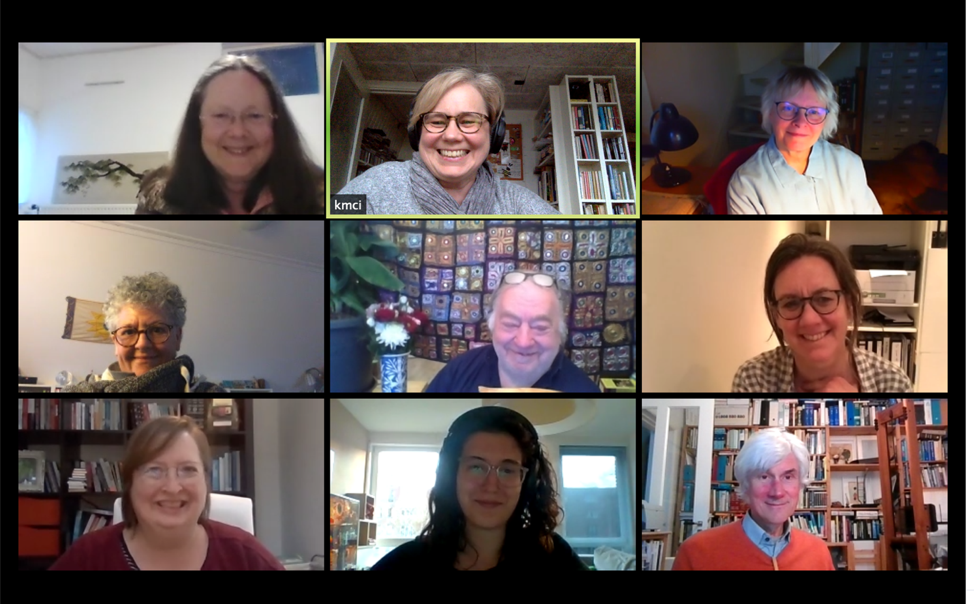
For me, an American child of the 1970-80s, the name ‘Zoom’ will always bring up fuzzy memories of the child-led television program on the Public Broadcasting System. Zoom was a shoestring production, a half-hour compendium of zingy tweens telling jokes and making crafts in a largely bare studio. For British people, imagine a chaotic Blue Peter with much lower production values and no Helen Skelton demonstrating shockingly professional crafts. As a child, I found Zoom maddening, inspiring and occasionally dull. Some segments spoke to my soul. Others dragged on and on.
Modern Zoom retains some of that chaotic energy. Some discussions flow; others are disrupted. It takes time to get used to the medium. There is often a slight lag in sound as people begin to speak that makes discussions difficult. It’s hard to read the body language of all the people in their little boxes on screen, meaning that it’s hard to read the cues about when someone is about to join a discussion.
To combat this disjointed and disorienting aspect, I tend to start Zoom SIG meetings with a check-in from each attendee. I learned to do this at work, where it is a standard element of our management team meetings. Checking in with people’s mental states, even if only briefly, turns out to be a very effective way to defuse tensions. It clears the air before we get down to business. In the context of the Covid-19 pandemic, checking in seems especially crucial. We are all missing human contact in anxious times. It’s important to be professional, but if personal struggles are affecting your ability to work, they ARE professional struggles. Sharing may not solve them, but it can reduce their anxious power.
SIG Far North has had three online Zoom meet-ups since April, and these meetings have seen a progression from substantial upheaval to a new normal.
At the 13 April meet-up, attendees were doing reasonably well work-wise, given the sudden lockdown. The amount of work attendees were getting in varied with their specialization. Those in the legal and financial world were seeing a major slow-down, although there were signs of improvement by mid-April. Those in education and healthcare were working steadily, in some cases on Covid-19-related communications, in others on medical work related to Covid-19. Those who teach were working to shift their work online and meeting the challenges associated with that shift. Everyone mercifully seemed in good health and spirits, whether they were locked down in a cottage on the weide or an apartment in the city. This meeting was also the one where Ragini Werner announced her retirement. You can read more about her career and future plans here. We all wish Gini a wonderful retirement!
By our next meet-up on 29 June, all attendees were doing well with work. Because Zoom allows SENSE members from other regions of the country to attend distant SIGs, we had two legal translators attending (a 100% increase from our usual number). This led to a really interesting discussion about how the need to move legal proceedings online was changing the world for legal translators: from an accelerated online certification system to the sometimes-choppy transition to digital courtrooms. Ammerins Moss-de Boer subsequently wrote about this for the SENSE blog. We also discussed the SENSE online conference. People noted that they had really liked the chat function as a way of posing questions to the speaker, especially being able to ‘like’ questions asked by others. Many had missed the informal face-to-face aspects of the meeting, although the closing Pub Quiz came in for high praise. Some other positive aspects of the online world were noted, including that it was far easier to get PE points and to invite speakers from a greater distance away.
While the June meeting had lower attendance, with nine attendees, it was the first Zoom meeting I have attended with a flowing dynamic. Instead of needing a moderator to make sure that everyone got a chance to speak, each attendee naturally identified a break point in their own story and passed the baton to another member. Once everyone had checked in, the discussion simply flowed. It was a pleasure to host.
By the 31 August meeting, everyone was getting so much work that I had many cancellations and only three attendees. The result was a much less formal meeting, but a good one, with a long discussion about the benefits and drawbacks of online meetings. We eventually fell into a conversation about the current state of America, and whether its individualism and chaotic energy are capable of fostering community.
Not unlike Zoom, in all its incarnations.

(via Getty Images)
As part of the #SENSE2020 Jubilee Workshop series, our very own Professional Development Coordinator Matthew Curlewis will be offering language professionals a chance to work on their writing skills. Rather than a one-off event like the workshop Ros Schwartz facilitated in January of 2020, Matthew’s Stretch & Tone workshop cycle will be a six-week process, allowing attendees to practice and hone their skills along the way. John Linnegar asks him a few questions about the workshop and the format.
JL: Some may feel registering for your course is a big time commitment. Others may be thinking twice about spending €180. So what would your response be to convince them to register?
MC: This workshop is about the process of writing; the ‘doing’ of it. Would you take one yoga class and then think you were done with yoga? Probably not. You might try different groups of classes in different styles – perhaps in Hatha, Iyengar and Bikram yoga, before settling on Kundalini yoga as your preferred technique – but your study of the other three will always have been useful to support your final choice.
The Writers’ Stretch & Tone workshop cycle loosens you up by having you write some fiction one week, a screenplay excerpt another, a poem another day – in a very similar manner – all these writings will work cumulatively, to improve your overall skills as a writer.
JL: What benefit, would you say, will attending your writing course have on a translator? And on an editor? Even, perhaps, a copywriter?
MC: When writing emerges at its best, people will say it ‘flows’. The words lead to sentences, which lead to paragraphs in a pleasing manner, and you are guided as a reader. Whether you’re translating or editing someone else’s writing, or whether you’re copywriting from scratch, ideally your writing should flow beautifully, rather than sounding awkward and haphazard, like an incompetent machine has done the translating.
JL: In January this year, we had a full-house workshop facilitated by Ros Schwartz (translator extraordinaire) about how improving your writing skills makes you a better translator. She had some powerful messages to share, and the impact of her approach among the attendees was overwhelmingly positive, inspiring, etc on the mainly translators who attended. Would you say that your course of workshops, and sharpening one's writing skills, will have the same effect?
MC: What we do in Writers’ Stretch & Tone workshops is get comfortable with letting our words come out, we get comfortable with covering empty pages with fresh new words, we find out how to make our words, our copy, and our writing, flow. At the end of the course, your ‘writing muscles’ will be stronger and more flexible, and you will feel fitter as a writer. As a result, you’ll be more comfortable taking on complex writing challenges.
Are you ready to stretch and tone your own writing skills? Sign up for Matthew’s workshop cycle on the Events page!
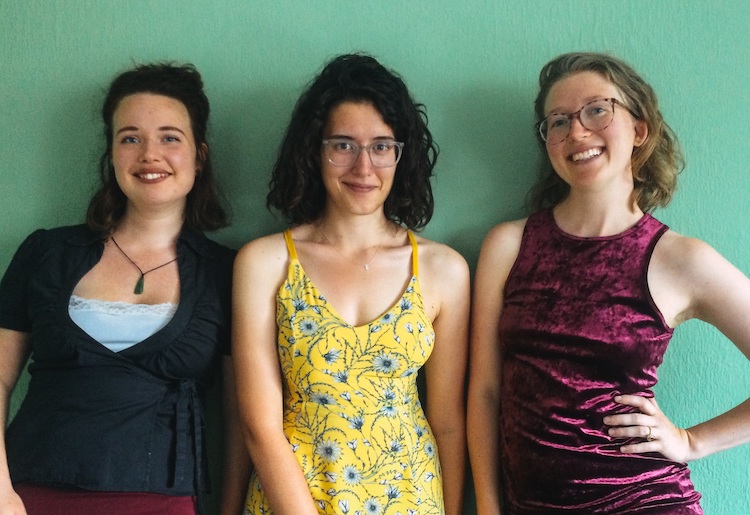
Starting out as a language professional can be a daunting experience. Connecting with people who are in the same boat can be a great way to navigate the (sometimes choppy!) waters of setting up a new business. SENSE members Danielle Carter, Martina Abagnale, and Anne Oosthuizen have joined forces to set up the Starters SIG, to bring people who are just starting out together. We caught up with them to find out more…
Can you tell us a little about yourselves?
Martina and Anne have been SENSE members since the end of 2019, and Danielle joined at the beginning of 2020. Martina (EN / NL > IT) and Anne (NL <> EN) are both translators; Danielle is a copy editor.
What is the Starters SIG and who is it for?
The Starters SIG is intended to be a space for anyone who is just getting started or is changing paths within the language industry. We hope that members will help shape the SIG so that it best meets their needs, so stay tuned for future developments!
How did the Starters SIG get started?
The three of us met via the SENSE conference in June. We met up to discuss our fledgling careers within the industry and quickly realised how nice it is to have each other to rely on when it comes to getting started (client communication and acquisition, setting rates, marketing ourselves, etc.), and we wanted to create space to do so within SENSE.
How often does the Starters SIG meet up?
We are aiming for once per month (alternating online and in-person meetings, once that seems safer), but this is up for discussion depending on attendee preference.
How many people generally attend Starters SIG meetings?
So far, our unofficial SIG meetings have consisted of just the three of us, but we’re hoping to expand our group to include other starters. Ten people have already signed up for the first meeting!
When and where will the next Starters SIG meeting be?
Our first Starters SIG meeting will be held online via Zoom on 10 September from 19:00 to 20:30. It will be an informal getting-acquainted borrel where we can introduce ourselves and get to know one another. Depending on how it goes, we may also want to kick-start the conversation on what our members would like to get out of the SIG, and how we can meet their needs.
If you'd like to attend the first Starters SIG meeting, be sure to sign up via the Events page!
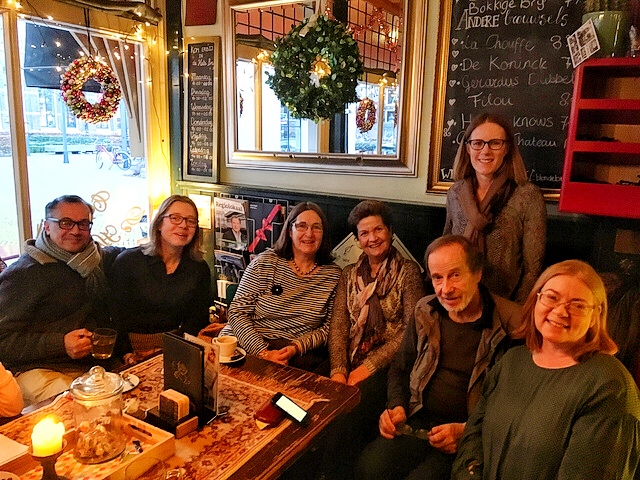
In this blog series, we are highlighting the different Special Interest Groups (SIGs) SENSE has to offer. SIG meetings are open to all members, and guests are welcome to attend one or two meetings before deciding whether they would like to join SENSE. For upcoming SIG meetings, check the SENSE Events calendar. Contact the SIG convener for more information or to suggest a meeting topic. If you would like to start a new SIG, contact our SIG and Social Events Coordinator. In this edition, we talk to Eastern SIG co-conveners Sally Hill and Kumar Jamdagni.
Can you tell me a little about yourselves?
SH: I was born in Chile and educated in the UK, but moved to the Netherlands in 1990 to join my Dutch husband. We live in Zwolle and have two kids. I joined SENSE when I was starting out as a freelance medical translator back in 2009, which followed a career in science and education. I’m now a medical writer, editor and trainer in scientific writing. While my writing is mainly for the biotech industry, most of my editing and training clients are in academia.
KJ: I was born and bred in London and studied French at City of London Polytechnic (now London Metropolitan University) including a year’s internship in Montauban. With the UK under siege in the summer of ’81 (race riots, sky-high unemployment, Margaret Thatcher) I left for the US with a ‘go with the flow’ attitude. Little did I know that a year later I would be a homeowner in Zwolle, married to a Dutch woman, and teaching English at a language institute! I am currently a translator (Dutch to English) and editor (predominantly academic papers for publication).
What is the Eastern SIG and who is it for?
SH: It’s a regional SIG, so intended for SENSE members living in and around Zwolle. While it’s mainly a great opportunity to have a natter in English with colleagues – particularly appreciated by the lonely freelancers among us – we also share experiences and good practice. We sometimes have an invited speaker and otherwise come up with a theme or activity that is of interest to current members. Recent meetings have discussed levels of editing, time management, and a Brexit newsletter from the IND. Previous topics include the needs of beginners, networking, software, bookkeeping, marketing and workshops/courses that we have attended.
How did the Eastern SIG get started?
KJ: I was one of the founder members of the first SENSE SIG in the late 90s, along with half a dozen other SENSE members, including Dave Thomas and Tony Cunningham; but the driving force was Brenda McClean. Without her enthusiasm, organizing ability and vision, I’m pretty sure there wouldn’t be an Eastern SIG today. The emphasis then (as now) was on promoting professionalism in the field of English-language services, while not forgetting the skills required to run a business – think networking, bookkeeping, even pension schemes. I look forward to being an active member for many years to come.
How often does the Eastern SIG meet up?
SH: We aim to meet up about six times a year, alternating between formal morning meetings and Friday afternoon social get-togethers, although the Covid-19 pandemic has somewhat flummoxed our good intentions. The location varies, but is always within walking distance of Zwolle station. Our previous meeting in April had to be moved online, and SENSE’s first ever ‘editing slam’ generated quite a bit of attention. We had 16 SENSE members attending from all over the world, including the Netherlands, Australia, Switzerland, Germany and Spain! This just goes to show how the pandemic is actually bringing some of us closer together.
How many people generally attend Eastern SIG meetings?
SH: In-person meetings used to attract just six to eight people, but the online meeting in April was our busiest ever. Until it’s safe to meet in person again, we’ll be making use of Zoom to allow more far-flung members to join our meetings.
When and where will the next Eastern SIG meeting be?
SH: Although Kumar and I agree we’d much rather meet in person (it’s been too long!), it’s probably not yet wise. We’ll therefore be meeting online on Thursday 3 September from 14:00 to 15:00. SENSE member and freelance academic editor Dr Claire Bacon – based to the east of the Netherlands (in Germany!) – will be talking about her experience writing a blog and how it helped her expand her client base.
If you'd like to attend the next Eastern SIG meeting, be sure to sign up via the Events page!
Martina Abagnale writes:
One of my biggest fears when I started freelancing was not having a group of colleagues with whom I could discuss ideas or who I could ask for help. I had worked as a project manager at a translation agency for two years before starting my own translation business. I loved the interaction with my colleagues, and I wasn’t really looking forward to the idea of being a lonely translator, spending the day in my pyjamas. I wanted to talk to other translators, hear their stories, learn from them and ask for advice when I needed it. When I read about the mentoring programme offered by SENSE, I decided to give it a go.
I found out that a mentor can help out with all sorts of things, from translation skills to computer or business skills.
With my language pair (EN > IT) being rather 'rare' in SENSE, I decided to focus on developing my business skills with my mentor. I had only two months of freelance experience under my belt, but I had more than enough plans for the future. I felt overwhelmed by the number of new things that I had to learn or wanted to try out. I thought that talking with a more experienced translator would help me make a distinction between those things I needed to do for my company (must-have) and those things that could wait a bit (nice-to-have).
Jackie Senior, a member of the mentoring committee, suggested that Jenny Zonneveld could be a good match for me. Turns out she was quite right. Jenny is extremely knowledgeable and willing to share her insights and give advice. We met for the first time in January, back when in-person meetings were still allowed; during the lockdown, our mentoring continued online. She helped me set up an accounting system and gave advice on best practices in the industry; she even gave me the occasional pep talk when things didn’t work out the way I wanted. She also introduced me to other SENSE members and translators, allowing me to expand my network in the industry very quickly.
It is difficult to imagine what my career would look like if I had not enrolled in the mentoring programme, but I am certain it wouldn’t be what it is today. I’m very grateful to Jenny for being an incredible mentor and to SENSE for offering this programme.
If you are also starting out, or want to try a new path, or you just have a head full of ideas like I did, do consider mentoring. It will change your career!
Blog post author: Martina Abagnale
Date: 2020-08-20
After 20 happy years as a freelance language editor and translator, Ragini Werner is retiring. Gini (as she prefers to style herself) has been very active in SENSE over the years; founding the Special Interest Group for members in the three northern provinces (SIG Far North) in 2007, filling the role of membership secretary in 2010 and taking the helm of SENSE magazine eSense from 2015 to 2017. In this blog post, we look back on her rewarding career and find out what her plans are for the future.
A solid beginning
Gini started her freelance business NEEDser (Native-English Editing + Translation Service) after training as a journalist in London and working for 20 years at Elsevier Science in Amsterdam, where she started off as a data entry typist for Embase and ended up the editor of company magazine ES World. The first thing she did after joining SENSE in 2007 was attend the SENSE/ITV editing course run by Ruth de Wijs and Jackie Senior in Utrecht. ‘These two taught me the basics of the business,’ says Gini, ‘and gave me the confidence to become a solid language professional.’
‘Lucky for me,’ Gini adds, ‘when I started the new SIG, Jackie was working in Groningen and was one of the first to join. Inevitably, she mentored me, giving all the reassurance a novice would need. The best advice she gave me was not to take it personally if a client didn’t pay on time. "It’s no reflection of your quality," she said, "they just might have forgotten. So be business-like, pick up the phone and get them to pay." I’ll be forever grateful to Jackie for her wise approach to work.’
Quality content
Gini has created valuable content for SENSE, guided initially by her predecessor at eSense, Cecilia M. Willems. ‘Cecilia was another great mentor to me. During our transition, she acted as a tactful sounding board for my wilder ideas. She helped me broaden the scope of eSense – then a members-only newsletter – and helped lay the basis for the glossy e-magazine it later became: published online and as a pdf, not only for members but the public at large.’
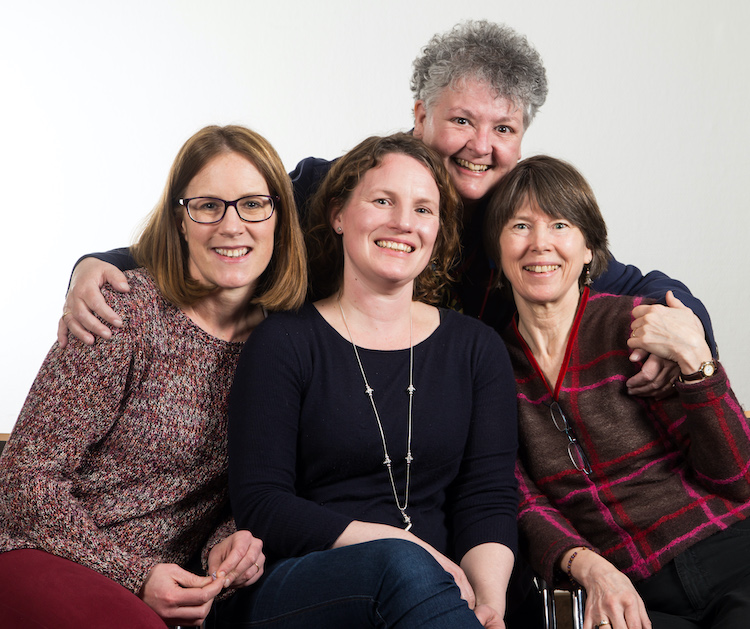
‘I couldn’t have produced such good content without the help of my faithful team,’ says Gini, pictured above hovering behind her regular eSense columnists-cum-copyeditors: Sally Hill, Marianne Orchard and Anne Hodgkinson (photo by Michael Hartwigsen). The 11 issues Gini and her eSense team created not only showcase the excellence of our members, serving to promote the Society, but are filled with information for language professionals that is still highly relevant today. Do yourself a favour and take a look through the issues. Do you want to know how to find clients? Are you looking for tips on networking? Do you need to know how to quote for a job? Or do you just want to know how to be a better editor? You will find the answers to all these questions and more in eSense.
Happy to help
At NEEDser, Gini has helped a variety of clients, including scientific researchers, film makers, photographers and graphic designers, to name a few! Her website is filled with glowing testimonials from her clients. She has also been a generous mentor to other SENSE members. Claire Bacon says, ‘I left academia to become a language editor in 2015 and met Gini at the SENSE Jubilee Conference that same year. She guided me through the early years, looking at manuscripts I had edited, pointing out areas where I could improve. This was invaluable support.’
What next?
So, what are Gini’s post-retirement plans? ‘First I want to catch my breath,’ says Gini, ‘enjoy relaxing in the garden with my wife Ali, a retired teacher, and Clio, our ancient Jack Russell. We are planning a long-postponed honeymoon in New Zealand once all this Covid-19 nonsense calms down, but we’re both in the vulnerable age-group so vaccines come first.'
Gini has plenty of creative projects on the go. She plans to finish her second novel Janice in Action (her first novel Revealing Phillipa is available on Amazon) and will be busy editing and designing the e-magazine published by Roze 50plus Oldambt. ‘I really enjoy seeing the concrete results of my creative efforts,’ says Gini. ‘Knowing that people find my magazine informative and a pleasure to read, I’ll probably keep doing that until I drop.’ Are we likely to see Gini at future SENSE events now that she is retiring? ‘I will keep an eye out for interesting events that I might want to attend as a guest. So, who knows… you might not be rid of me (altogether) yet.’
Thank you from SENSE
I am sure that everyone at SENSE wants to take this opportunity to thank Gini for all her hard work and commitment to our Society over the years. Thank you, Gini! We all wish you all the very best for the future.
When work dried up
As a result of the Covid-19 outbreak, the world came to a standstill: businesses closed, events were cancelled and appointments postponed. And consequently, for many interpreters, the diary was wiped clean. Because what work is there to do if there are no court hearings, no conferences and no driving tests and weddings? For me as a translator/interpreter, as for many of my colleagues, the effect was instantaneous. The phone stayed silent. The tumbleweed in my inbox was almost audible.
I was fortunate enough to have enough translation work to keep me going, but even on that front it was distinctly slower than before, and the type of work also changed. Most of the texts I translated in the first few weeks (and months) of lockdown were internal notices for employees about Covid-19 prevention measures, new rules about working from home, how to install Zoom, the do’s and don’ts of online meetings etc. I am so glad I have a large enough number of direct corporate customers and agencies to work for instead of being 100% reliant on the public service work!
A technological learning curve
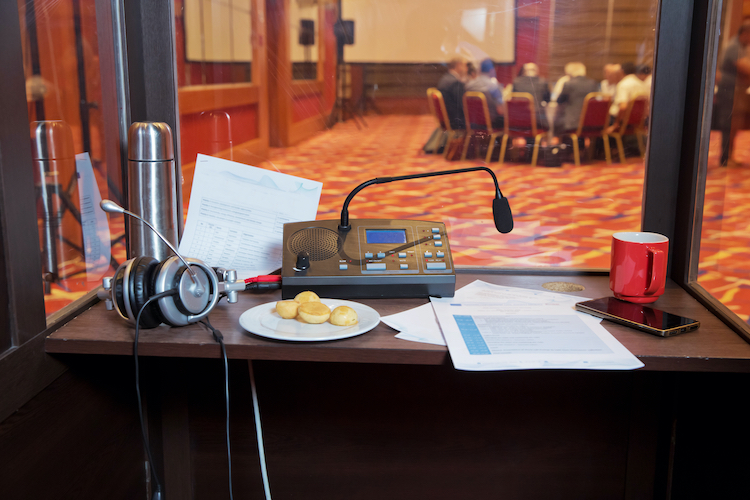
After a few weeks of empty diaries and with despair starting to set in (‘How long IS this going to last?’), interpreters basically had two options: either sit back and wait it out – and apply for the TOGS/TOZO or whatever other arrangements they were eligible for – or explore methods to continue working and embrace new technologies. Slowly but surely, the business world started to wake up again and discovered that you could conduct meetings online just fine. And that was our way in! Where it had been a bit of a niche market before, now suddenly remote simultaneous interpreting (RSI for short) was everywhere! Experienced interpreters are now also sharing their knowledge about RSI by giving webinars and facilitating online interpreting sessions, which is not only educational but also great fun.
The technology that had been available before is now being further developed at lightning speed: there are stand-alone interpreting platforms (eg, VoiceBoxer) or platforms that can be incorporated into meeting software such as Zoom (which has its own interpretation option too). This means that tech-savvy commercial interpreters have been able to get back on the horse. Many companies are also now realizing that it saves a lot of time – including travel time. And, if the technical requirements are met, they are seeing the benefits of having a meeting online where foreign participants can follow what is being said by tuning into their own language channel.
So far, so good!
Commercial versus PSI
On the public service interpreting (PSI) front, courts and government institutions have also been doing their best to incorporate RSI into their way of working. However, as with most public service institutions (… can I say it? ambtenaren…) it has taken a while to get it all up and running. Picture if you can a judge in one room and a clerk in another; plus a prosecutor, a lawyer, and a suspect or inmate in an echoey interrogation room (often with guards impatiently looking at their watches). Getting these people all talking to each other in a structured manner turns out to be quite a feat – not to mention the ‘complication’ of having an interpreter ‘sitting in the middle’. Interpreting these sessions is very frustrating as, more often than not, the video or phone connection is so terrible that interpreting is close to impossible. It also takes longer, as everything has to be done consecutively… And if you then also have a judge who asks the interpreter to ‘summarize your interpretation, because we are in a hurry’ or who denies a suspect their last word because their 20 or 40 minutes is nearly up, you can see why lots of interpreters and lawyers are quite unhappy with the situation.
Back to normal?
When physical sessions resumed a few weeks ago, we all had to get used to the ‘new normal’. How do you maintain physical distance while also making yourself heard and hearing what your client is saying? Is simultaneous interpreting even possible anymore? Every assignment throws up new surprises and challenges, as the set-up is different in every court and interview room. Sometimes half of the parties are physically present, while the rest are on a screen or on the phone – again complicating matters… Luckily, as interpreters, we are masters of improvisation, and most hearings have been able to continue, albeit with a bit of fudging here and there. Some courts have purchased mobile phones, so you can call the suspect sitting on the other side of the plexiglass and interpret the hearing that way. The courts are also still in the middle of the tendering process for whisper systems, so who knows what swanky gear we will be working with in the future!
The immediate future will undoubtedly remain messy, also because the situation for sworn interpreters and translators is not about to improve with the introduction of a new Dutch governmental decree on costs, quality and outsourcing, but I hope that as interpreters we will also continue to learn, to improve our technological expertise and also to educate our clients on how to incorporate new technology.


